Frequently Asked Questions
I have lost my area dimension and pitch/slope text when checking my job.
This may be accompanied by the error message in the prompt area - "Failed to insert text."
The normal cause for this is the incorrect default text has been set. These functions need TrueType fonts to dimension your model.
Go to the right hand menu, turn it on if it is not on already. Select CAD > Text > Defaults.
If you dialog box looks like this - 'someone' - that mischievous little rascal, has changed the default font from True Type Font to Vector Font.
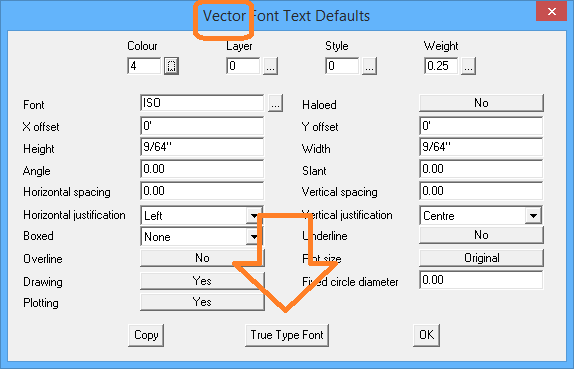
Select the button at the bottom, and change it to True Type and ensure that you have Arial as the defaut Font.
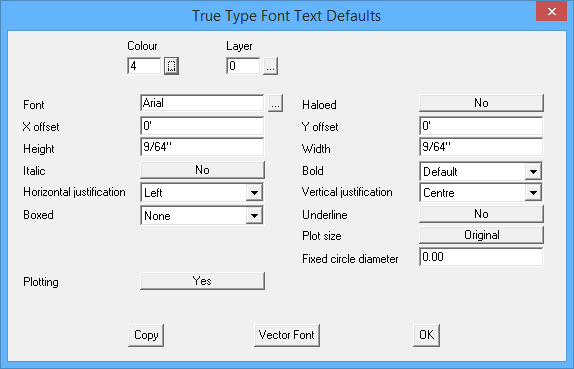
To ensure that this is permanently reset, select File > Layout > Save Values so it comes up correctly in future.
END
back