Frequently Asked Questions
Roof planes do not display.
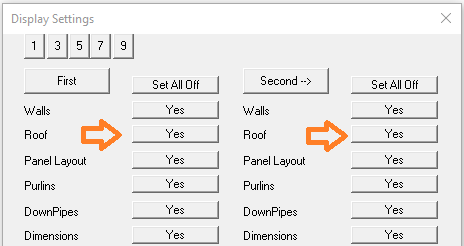
Check the settings in Tools > Set Display. Roof should be set to [Yes] for all storeys. If the 'tick' mark for planes is not showing in the corner of the roof area when the roof planes are set to [No], go to the next step.
Turn on right hand menu, go to CAD > Defaults > Vis-Model and check that Planes are set to [Yes].
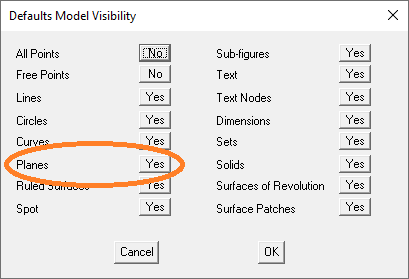
Once set to [Yes], go to File > Layout > Save Values to permanently save this 'new' setting.
back